Agent Observability: Seeing What Your Agents Do
An agent that works for twenty minutes and returns a pull request has done a hundred things you did not watch. When it goes wrong, a log line that says "task failed" does not help. Observability is the discipline of recording enough about every run that you can answer what the agent saw, what it did, what it cost, and why it stopped. This page covers what to record, how to trace it, what to chart, and what to keep out.
Why Agents Need More Than Logs
A service log tells you what the code did. An agent's code is a loop around a model, and the interesting decisions happen inside the loop: which files it read, which tool it called, what it tried after a failure, and when it decided it was done. None of that is in a normal log, and the same input can take a different path next time.
So the unit of observation changes from a request to a run. A run has a start, a sequence of steps, an outcome and a cost, and it should be reconstructable after the fact without asking the agent. This is the same idea as treating an agent like a service: if it has an identity, permissions and a budget, it also needs telemetry. The recording layer is one of the seven in the reference architecture, and evals are how you decide in advance what good looks like; observability shows whether production matches it.
What to Record per Agent Run
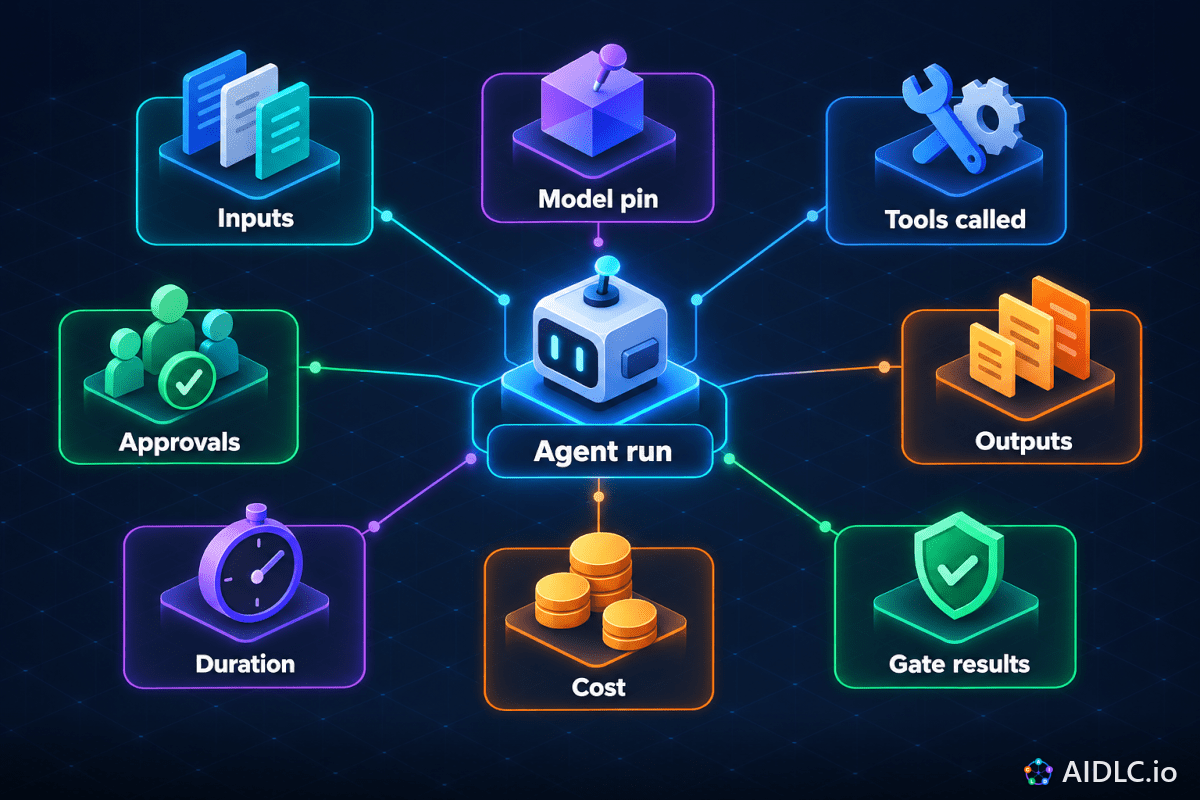
Eight things, written as one structured record per run and as events while the run is in progress. If a field is hard to capture, that is usually a sign the workflow is not controlling it yet.
Inputs and context sources
The ticket contract, the instruction files and the retrieved documents it was given, by reference and version, not by copy.
Model and version pin
The exact model, its version and the prompt revision. Without this, a change in behavior cannot be explained. See Model and Tool Pinning.
Tools called
Every tool call with its name, a redacted argument summary, the result status and whether a permission check allowed or denied it.
Outputs and artifacts
The branch, the pull request, the files changed and the artifacts produced, each linked to the run that made them.
Gate results
Which gates ran, which passed, which failed, and how many repair attempts it took to get through each one.
Cost
Input and output tokens per step, the price at the time and the running total against the run's budget.
Duration
Wall-clock time per step, and the time spent waiting for a person or a system, which is not the agent's time.
Human approvals
Who approved what, when, and against which version of the artifact. An approval of an old version is not an approval of the new one.
Traces Across a Multi-Step Workflow
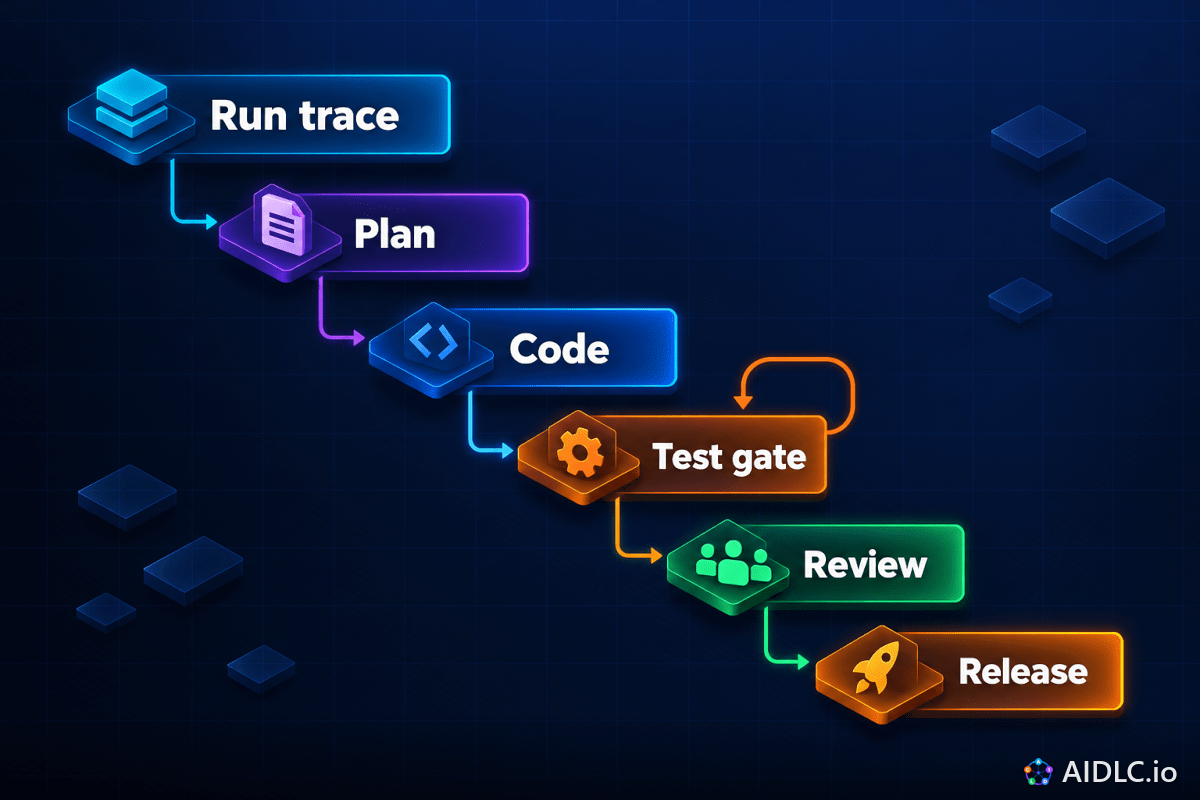
One run record is not enough when a ticket passes through several agents and several gates. A trace ties them together: one trace for the ticket, one span per step, and every span carrying the same ticket and run identifiers.
What a trace lets you answer
- Where did the time go: the model, a gate, or waiting for a person?
- Which step repeated, and what changed between attempts?
- Which context did the code step get from the plan step?
- Which step first produced the defect a later gate caught?
How to build one
- Generate the trace identifier when the ticket enters the workflow, and pass it to every agent and gate.
- Emit one span per step with a parent, a start, an end and a status.
- Record retries as new spans under the same parent, never by overwriting the first attempt.
- Use an open standard such as OpenTelemetry so the data is not tied to one vendor.
For work that waits for days, the trace should survive a restart, which is one more reason the orchestration belongs in a durable workflow and not in an agent session.
The Dashboards
Three cuts of the same data. Each answers a different person's question, and each should link down to the individual run.
Per phase
Runs, outcomes, repair attempts and backward moves for Analyze, Ideate, Develop, Launch and Learn. Answers: where is the pipeline struggling?
Per agent
Success rate, cost per accepted change, denied tool calls and escalations for each agent identity and each version. Answers: did the last upgrade help or hurt?
Per risk tier
Runs on high-risk work, how many had a human approval and how many touched sensitive paths. Answers: are the controls holding where they matter most?
Report these per team and per agent, never per person. The measures that belong in a management report are listed in Measuring Impact; this page is the operational view behind them.
Cost Observability and Budgets
The variable cost bucket in the cost model is only controllable if it is visible while the work runs, not on next month's invoice.
Attribute every cost
- Tag each model call with the ticket, run, step, agent and phase.
- Roll cost up to cost per ticket and cost per accepted change, not just cost per token.
- Count repair loops and abandoned runs, because that is where money disappears.
Enforce budgets in the workflow
- Give each run a budget and each step a share of it.
- Warn at a stated fraction of the budget and stop at the limit, then escalate with the trace attached.
- Review the budgets each quarter against the runs that actually finished.
Detecting Drift and Bad Behavior
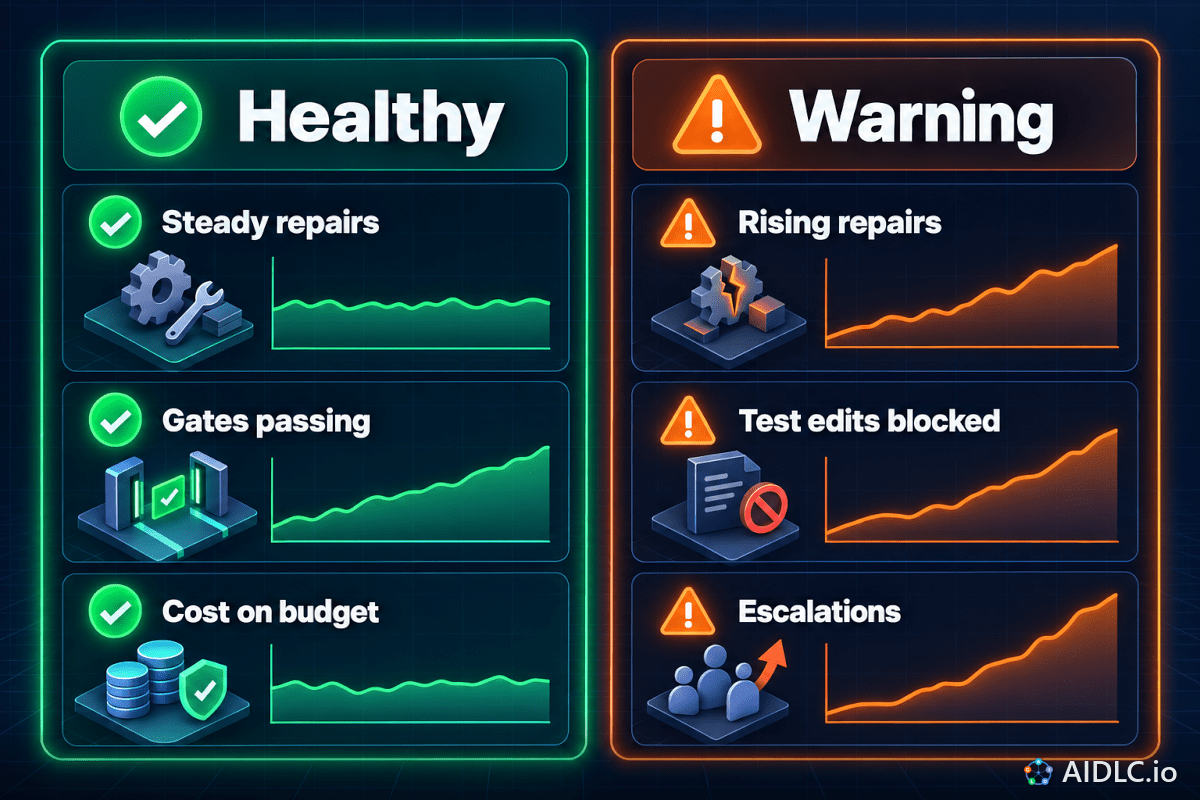
Most failures show up as a trend before they show up as an incident. Watch the direction of these signals rather than their absolute level.
| Signal | What a rise usually means | First thing to check |
|---|---|---|
| Repair attempts per gate | The agent is guessing, or the context or criteria got worse | Recent changes to instruction files, the model pin or the ticket quality |
| Blocked test edits | The agent is trying to make a gate pass by changing the test | The ticket contract and the protected-path rules |
| Denied tool calls | The agent is reaching beyond its permissions | The permission set and what the prompt asks it to do |
| Escalations to a person | Work is outside what the agent can handle, or a budget is too tight | The work class and the budget for that step |
| Runs ending without an artifact | Loops, timeouts or silent failures | The last steps of the trace for those runs |
| Eval score on sampled runs | Quality drift in a hosted model that changed underneath you | The scheduled eval run for the same version |
Privacy and Retention
A trace is a copy of everything the agent touched. Treat the trace store as sensitive data from the first day.
Keep out of traces
- Secrets, tokens, keys and connection strings, redacted before the event is written.
- Personal data from customer records or production logs the agent might read.
- Full file contents when a path, a hash and a version identify them.
- Full tool arguments when a redacted summary answers the question.
Retain deliberately
- Set a retention period per data class: short for detailed traces, longer for run records and approvals.
- Restrict who can read raw traces, and log that access.
- Keep approval and gate evidence as long as your release evidence has to be kept.
- Delete on schedule, and prove it.
Alerting Rules
Alert on a few things a person should act on today. Everything else belongs on a dashboard, because an alert nobody acts on trains people to ignore the next one.
| Rule | Severity | Action |
|---|---|---|
| A run touched a protected path or used a denied tool | Page | Stop the run, review the trace, check the permission set |
| A secret pattern appeared in a trace | Page | Purge the record, rotate the secret, fix the redaction |
| A run reached its budget limit | Ticket | Review the loop that spent it and adjust the budget or the ticket |
| Repair attempts or blocked test edits rising for one agent version | Ticket | Compare with the previous version and run the eval suite |
| A high-risk run completed without a recorded approval | Page | Hold the release and find the gap in the gate |
A Run-Record Schema
One record per agent run as JSON. The values are an invented illustration; adapt the field names to your own workflow and artifact store. See Artifacts as Typed Records for how records like this fit the rest of the engine.
{
  "run_id": "run-0412",
  "trace_id": "trace-tkt-231",
  "ticket": "TKT-231",
  "phase": "develop",
  "agent": { "identity": "code-agent", "version": "instructions-r14" },
  "model": { "family": "example-family", "pin": "pinned-version-id" },
  "context": ["ticket-contract@v3", "repo-rules@r14"],
  "steps": [
    { "span": "plan", "status": "ok", "tokens_in": 0, "tokens_out": 0 },
    { "span": "code", "status": "ok", "tools": ["read", "edit", "run-tests"] },
    { "span": "test-gate", "status": "passed-after-repair", "repairs": 1 }
  ],
  "gates": [{ "name": "unit-tests", "result": "pass" }],
  "denied_tool_calls": 0,
  "blocked_test_edits": 0,
  "outputs": ["branch:tkt-231", "pr:open"],
  "cost": { "budget": "run-budget-b", "used_fraction": 0.0 },
  "duration": { "agent_seconds": 0, "waiting_seconds": 0 },
  "approvals": [{ "role": "reviewer", "artifact_version": "pr-head", "at": "2026-10-30T16:00:00Z" }],
  "redaction": { "applied": true, "ruleset": "traces-r3" },
  "retention_class": "run-record"
}
Observability Anti-Patterns
Logging only the outcome
A pass or fail with no steps cannot explain a surprise or support an audit.
Asking the agent what it did
The agent's own summary is a claim. The record must come from the workflow and the tools, not from the agent's narration.
Raw dumps in the trace
Storing full prompts, files and tool output copies secrets and personal data into a store nobody secured.
Alert on everything
A noisy channel is a muted channel. Alert on the few things that need action, and chart the rest.
Per-person leaderboards
Ranking engineers by agent usage or cost invites gaming and hides the real causes. Report per team and per agent.
No version in the record
If the record omits the model, prompt and instruction versions, a regression cannot be tied to the change that caused it.
Frequently Asked Questions
Logs record what the code did, but an agent's important decisions happen inside a loop around a model: what it read, which tool it called, what it tried after a failure and when it stopped. The same input can also take a different path next time. Agent observability records a structured run with steps, outcome and cost so it can be reconstructed afterward.
Eight things: the inputs and context sources, the model and prompt version pin, the tools called, the outputs and artifacts, the gate results, the cost, the duration, and the human approvals. Record them by reference and version rather than by copy, and redact secrets and personal data before anything is written.
Watch the trend of repair attempts per gate, blocked test edits, denied tool calls, escalations to a person, runs that end without an artifact, and eval scores on sampled runs. A steady rise in any of them usually points to worse context, a changed model or prompt, or an agent reaching beyond its permissions.
See the Run Before You Trust It
Pick one agent in your pipeline and write down what you would need to know to explain its last run.